Lorky`s Blog - Techno ressources and general informations for everyone !
Note
All blog links are archived here.
QuickBook 2019 error on Windows Server 2012 R2..
November 8, 2018, 11:04 pmHi
If someday you have that setup;
- Customer with QuickBook on their computer
- The QuickBook server module
You might hit a small bug when you share your database.
An error code -6000,-83.
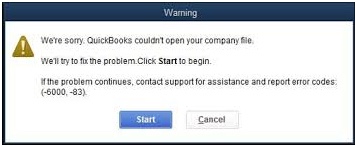
The file in the share are created, but not able to be open when the error happen ?
The bug was in the end really simple for me, the quickbook server module does not accept special characters in the folder name..
Renamed the folder with special charracters (é in my case) and voila, it worked..
Windows netstat tip
November 8, 2018, 9:57 pmHi
If you debug a lot your Windows computer and you need to issue the netstat -ano command, it's often hard to see if a services is listening on the correct ports.
I find a small tip to quickly find that information.
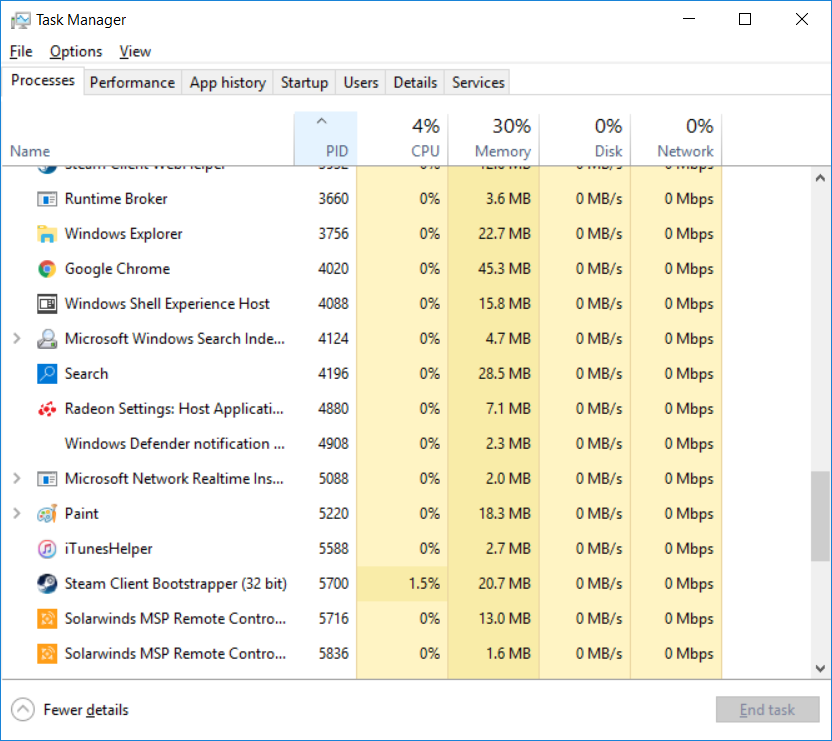
In taskmgr.exe you right click the first coloum to display the PID, as such;
After that you can see a normal list from netstat -ano;
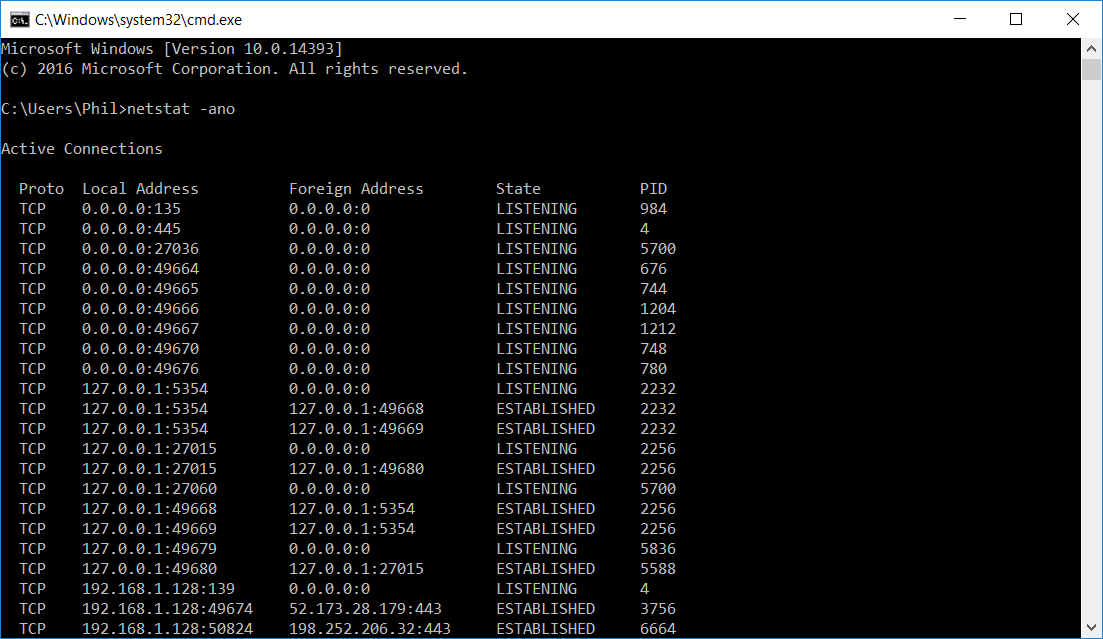
As you can see the list can be quite big, as such the tip is simply to parse the netstat -ano with a findstr command.
That way; netstat -ano | findstr "PID"
I tested it with the PID 5700, the steam client, for that result;
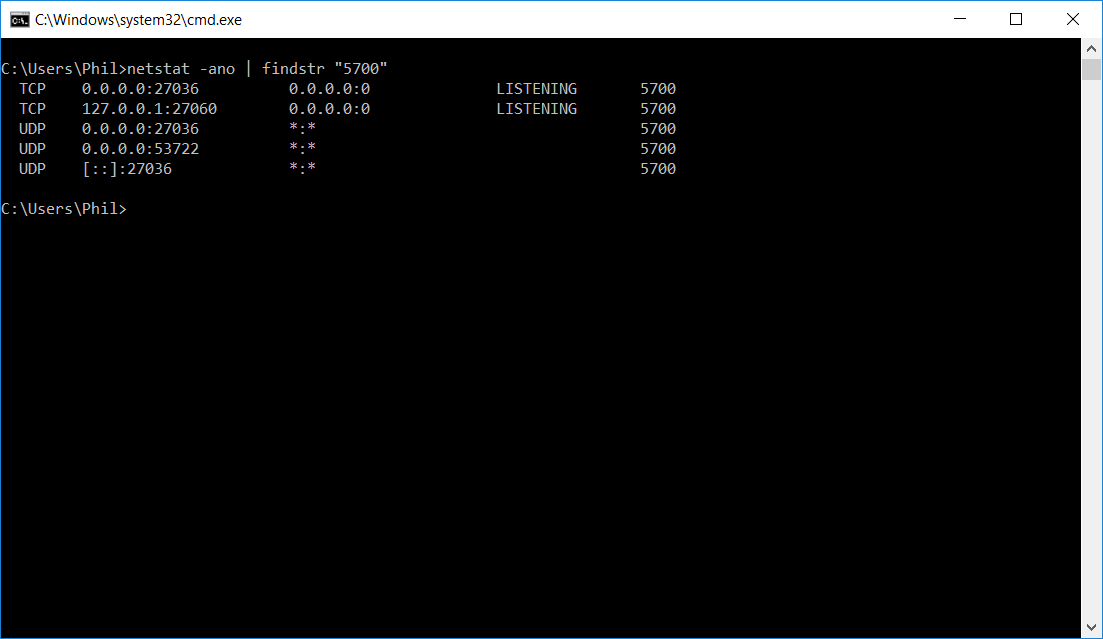
As you can see the list is really easier to read with that small tip ! :)
Thanks everyone
Windows Server - Log all Active Directory LDAP query
November 7, 2018, 10:10 pmHi
I wanted to share a small tip if you need to log all LDAP's query sent to your ADDS's server.
You can easilly find the correct registry to change there:
You need to set at 5 the key Field Engineering there: HKEY_LOCAL_MACHINE\SYSTEM\CurrentControlSet\Services\NTDS\Diagnostics
and you need to set to 1 those two keys:
HKEY_LOCAL_MACHINE\SYSTEM\CurrentControlSet\Services\NTDS\Expensive Search Results Threshold
HKEY_LOCAL_MACHINE\SYSTEM\CurrentControlSet\Services\NTDS\Inefficient Search Results Threshold
For more detail you can find it some documentations there, Creating More Efficient Microsoft Active Directory-Enabled Applications
Thanks everyone
Windows Server 2016 RDP DPI settings
November 7, 2018, 9:46 pmHi
Today I will share a small tip for settings the DPI settings on a terminal's session, especially useful if your customers use shared thin client.
On older RDP / TS server, Windows Server 2008 R2 you could apply this KB (You cannot change the DPI setting through a Remote Desktop session on a computer that is running Windows 7 or Windows Server 2008 R2) that could allow the client to change the DPI's settings inside the remote session.
In Windows Server 2016 the DPI settings is inherited from the parent device, thus the computer or the thin client.
As such if you want to control the DPI, but you don't want to change the thin client configuration for everyone, then you can set a GPO with those settings;
HKEY_CURRENT_USER\Control Panel\Desktop\LogPixels
- If LogPixels does not exist then create a new DWORD value
- Type in Decimal Value
96 for Smaller 100%
120 for Medium 125%
144 for Larger 150%
HKEY_LOCAL_MACHINE\SYSTEM\CurrentControlSet\Control\Terminal Server\WinStations\IgnoreClientDesktopScaleFactor
- If IgnoreClientDesktopScaleFactor does not exist then create a new DWORD value
- Type in Decimal Value:
Turn on = 1
Turn off = 0
Thanks
WMI spy - Diag WmiPrvSE.exe High CPU Usage
October 17, 2018, 9:53 pmHi
If you happen to have problem with WMI, as sometime it can use a lot of ressources and you don't know why, there is a small tip for you.
Did you know you are able to spy on query done in WMI to be able to track down who is the culprit ?
You can use the command:
Wevutil.exe sl Microsoft-Windows-WMI-Activity/Trace /e:true

You type yes after.

After the command you will be able to see more detail about the WMI call behing made in the system.
Don't forget to disable it after the diagnostic!
More information there