Lorky`s Blog - Techno ressources and general informations for everyone !
Note
All blog links are archived here.
Intune Map Network Drive
October 26, 2023, 1:07 pm
Hi everyone
Today I wanted to share a method to be able to map network drive from Intune / Endpoint Manager.
The method is useful if you are in a hybrid setup, where some ressource are in the cloud and some other on premise.
If you have azure ad sync with a domain controller and your cloud, the SSO will work out of the box with the mapping. A exception to the SSO, if your users use PIN with Windows HELLO you will have other integration to do.
To start please go download the drive mapping custom ADMX.
Download link from the author site | An alternative link from github
After that we need to import the ADMX into Intune.
Go into Device

Go into configuration profiles
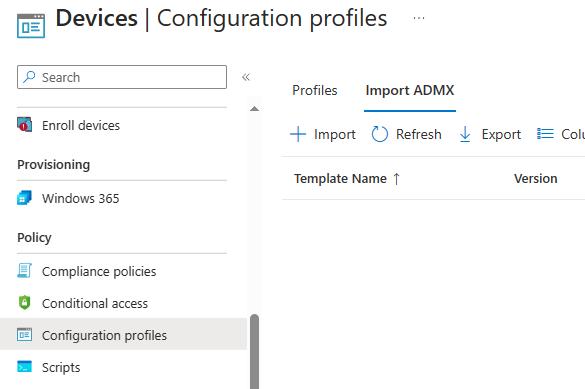
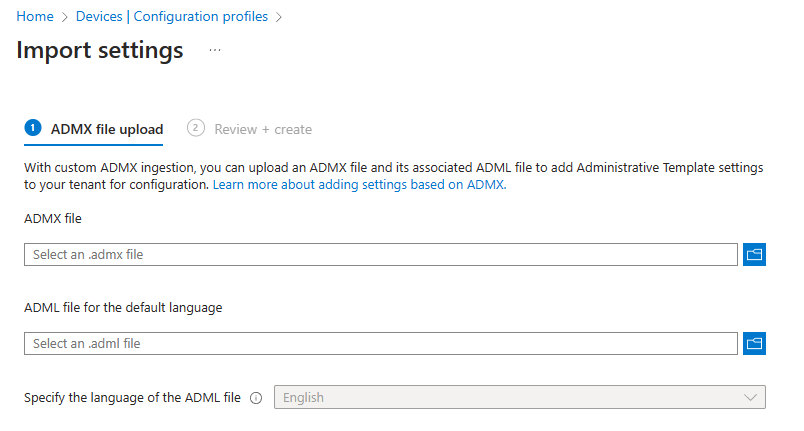
Select the correct ADMX to be imported
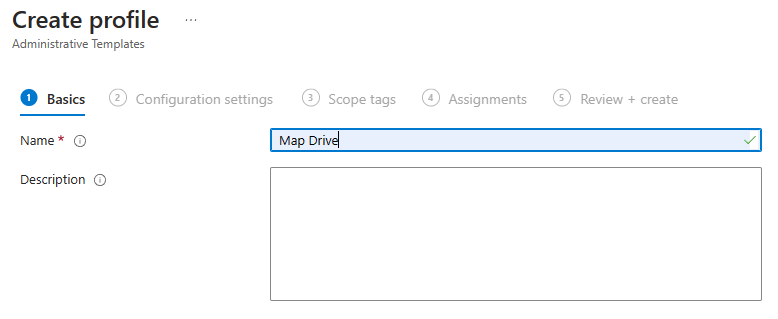
After that we can now create our profile with the news settings
Create one here named Map Drive
There we set the settings we want;
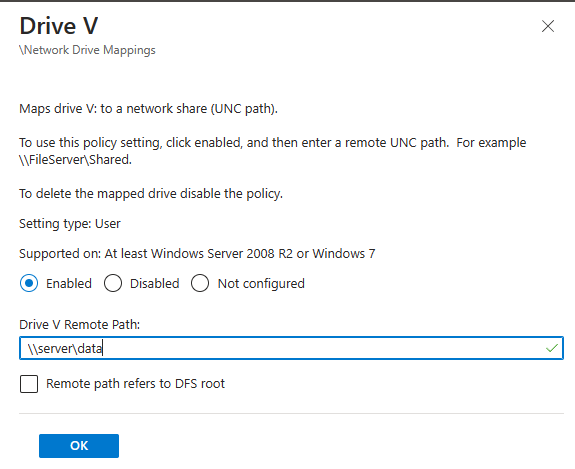
We can see the settings the ADMX give us;
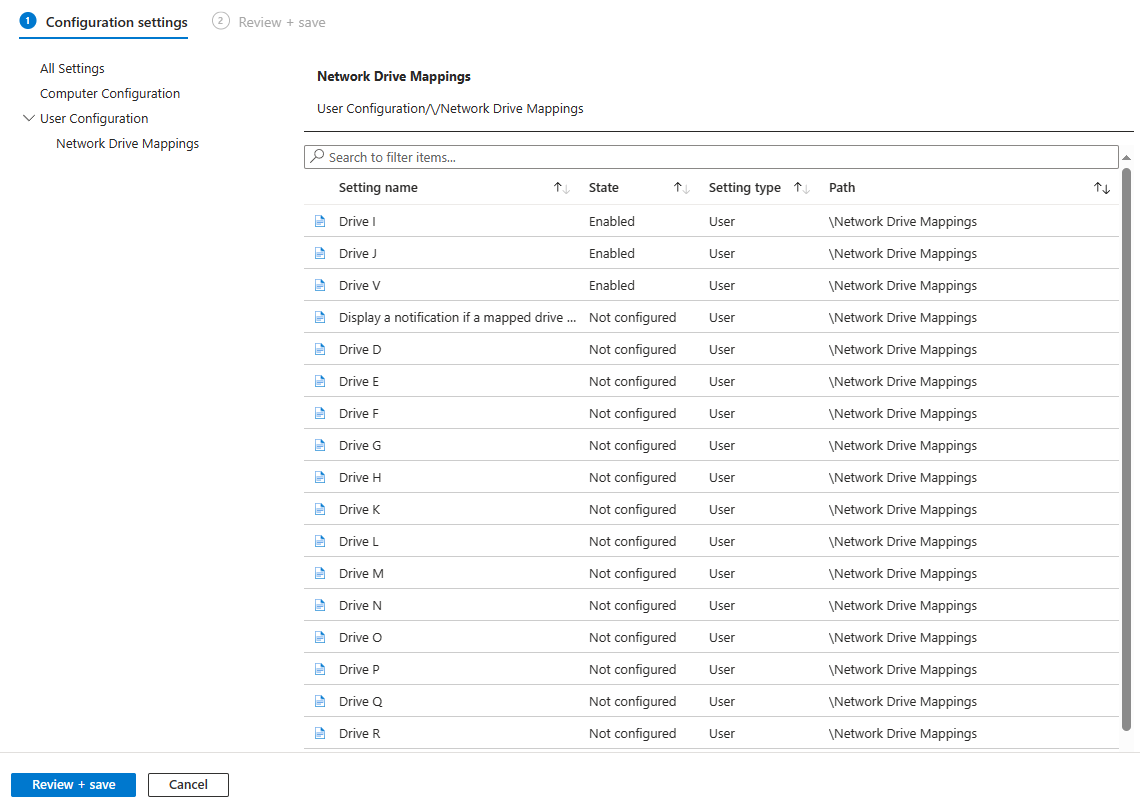
After that it should work correctly to map when the device is located inside the datacenter :)
Windows Server HHCTRL EventId 1903 Filling Event log
October 17, 2023, 4:00 pm
Hi everyone
Today I wanted to share a small tip if you got HHCTRL filling your event log like crazy.
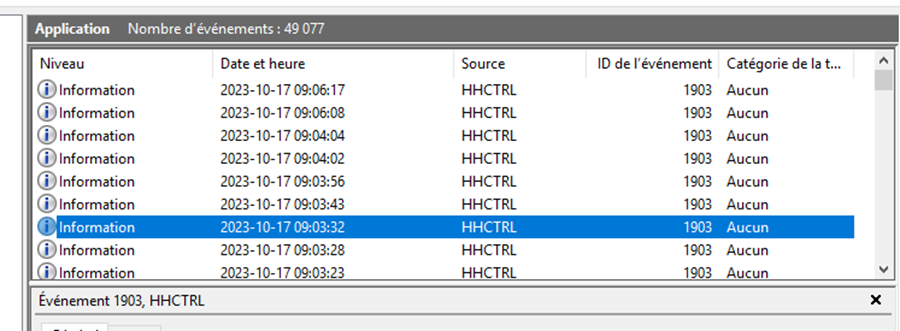
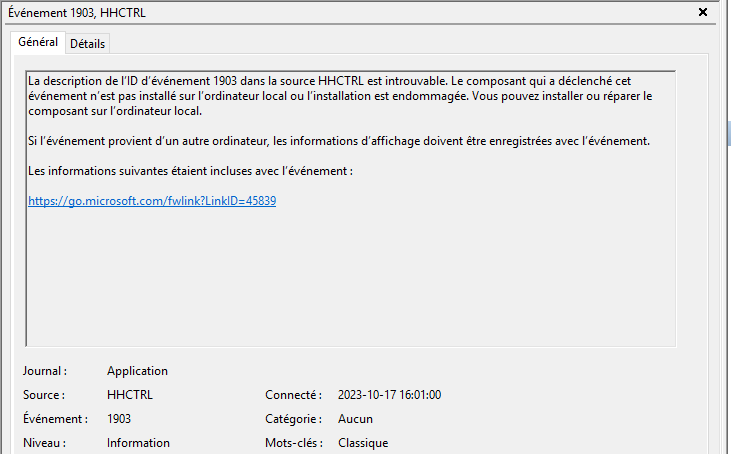
Findind the culprit can be done, but in case it's know and it dont impact anything you can disable the event log for the event that way with these registries key;
HKEY_LOCAL_MACHINE\SOFTWARE\Wow6432Node\Microsoft\HTMLHelp\1.x\HHRestrictions
MaxAllowedZone = 00000001 (DWORD)
EnableNonInteractiveUser = 00000001 (DWORD)
EnableFrameNavigationInSafeMode = 00000001 (DWORD)
and
HKEY_LOCAL_MACHINE\SOFTWARE\Microsoft\HTMLHelp\1.x\HHRestrictions
MaxAllowedZone = 00000001 (DWORD)
EnableNonInteractiveUser = 00000001 (DWORD)
EnableFrameNavigationInSafeMode = 00000001 (DWORD)
That should do the tip to remove those entry as it can block other good information to appear easilly.
Filename in Migration To Sharepoint Online (INVALID_SHAREPOINT_NAME)
October 16, 2023, 3:59 pm
Hi everyone !
Today I wanted to share a small tip if you migrate some file share to sharepoint online as it's a essential part to migrate full cloud.
In the migration wizard as seen here; you could hit some warning that some files use incorrect filenames.
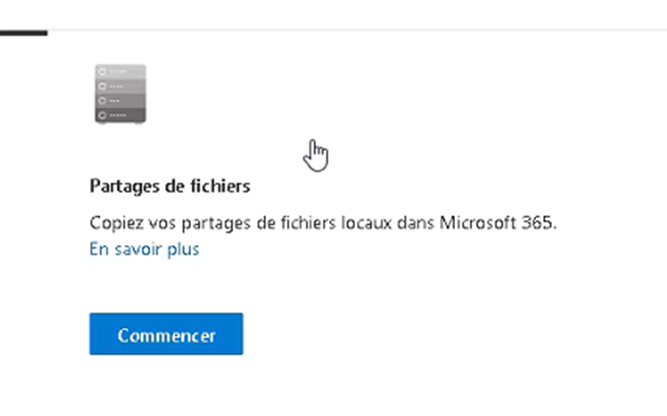
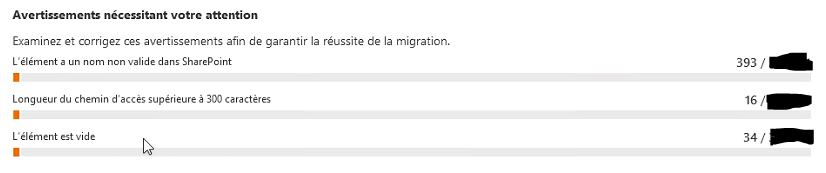
The migration wizard got some file that it does not like, aka;
Thumb.db's file or temporary Office's file, ~\$'s file prefix.
The command issued for your file share; Get-ChildItem -Path '\\server\path' -Filter '~\$*' -Recurse would give you a good idea what it can find.
A dir /s like that would work too;

If you download the analyse's log you will get log entries with that error code;
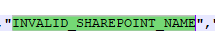
An easy fix if you don't want to migrate those filename is to replace in batch; like that way;

Get-ChildItem -Path 'z:\' -Filter '~\$*' -Recurse | Rename-Item -NewName { \$_.Name -replace '~\$', ' ' }
The option are too cna help in the batch migration advanced's option;

Some good information for regex in case you have other files that need updating in batch;
https://megamorf.gitlab.io/cheat-sheets/powershell-regex/
Thanks everyone
The Citrix Receiver / WorkSpace legacy of not working
September 8, 2023, 3:50 pm
Hi everyone !
Today I wanted to hare a small tip as it hit me today, and it made me loose so much time.
After a manual installation from an user, the problem I had for that user was
- The Citrix Storefront published application refused to launch
- No sign of life from a double click on a .ICA file
- The reset of it's parameters change nothing, it still refuse to act
To diagnose the issue I went to the computer uninstalled the workspace, and reinstalled, still the same error of nothing happening, after a while I try one last option, right-click on the .msi and select to run as an admin.
Voila, the setup ask me even a question he was not asking me before. The UAC never prompted on the user credential and no error either.
The moral of the story, the workspace really work better when installed as a system account / run as admin.
As you can see below the receiver support to be installed as an user;
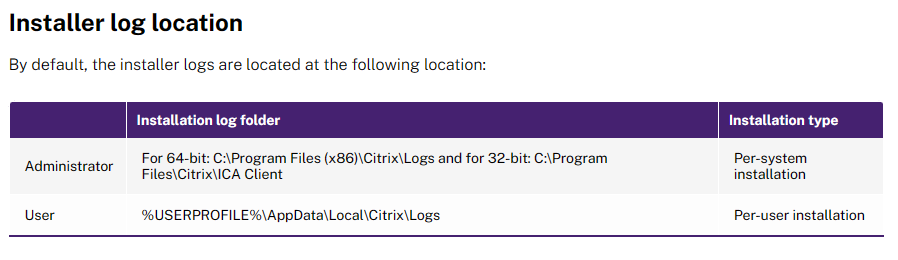
but the result is really not the same !
Microsoft Authenticator Backup / Restore
September 7, 2023, 3:27 pm
Hi everyone !
Today with the venue of more secure authentification method I still see user that does not configurer 2FA's method, or loose their identity inside the authentificator app way to easily..
I wanted to share the small tip to configure a simple backup of your credential, so if you wipe your phone it's really easy to come back from that in the auth app.
As such the key point if to select to create a backup copy;
In the Android app;
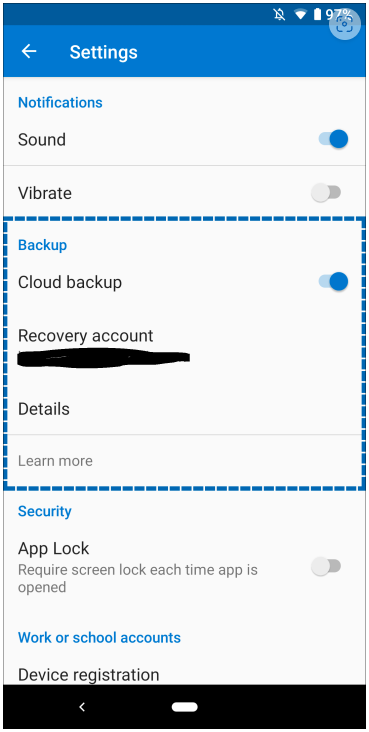
In the Apple app;
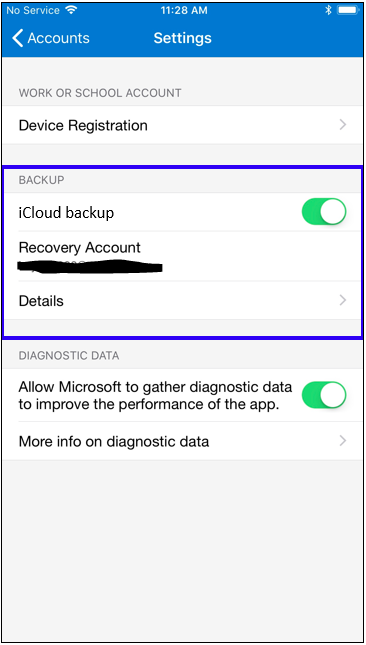
The key point to remember is when you reinstall the application, it must be empty of account, and you need to select the restore option !
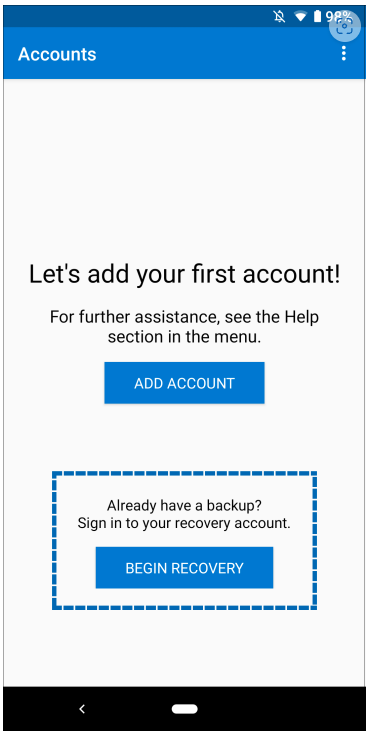
Thanks everyone, it's all, it's just a small tip, and as you can see it's really easy to recover.
So reference text; Change your two-step verification method and settings and Back up and recover account credentials in the Authenticator app