Lorky`s Blog - Techno ressources and general informations for everyone !
Note
All blog links are archived here.
Storage Sense GPO
September 19, 2018, 4:50 pmHi everyone
I wanted to share a small tip to manage Storage Sense settings by GPO;
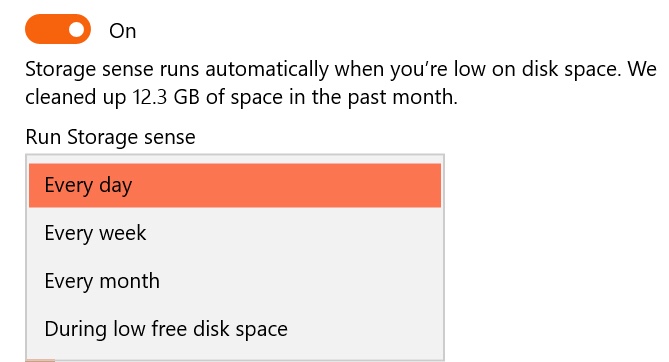
It's by registry setting in GPP, as the GPO's console don't have any template yet to set them.
Get a user configured with the wanted setting and get that registry hive;
HKEY_CURRENT_USER\Software\Microsoft\Windows\CurrentVersion\StorageSense\Parameters\StoragePolicy
Use those settings in a user GPP and you are all set :D
Image from there
Published ressources, only one remote apps at a time in your Wyse - Dell terminals ? black screen
September 7, 2018, 6:56 pmHi everyone
Today I will share a small tip about Wyse and Dell terminal and Remote Apps
In newer build the line;
SysMode=vdi now work in a different manner for published apps, even if it allow application and or desktop to be opened, it now auto blank the screen around the application, thus rendering the remote app in a blocked stance, where no other remote app is able to be used.
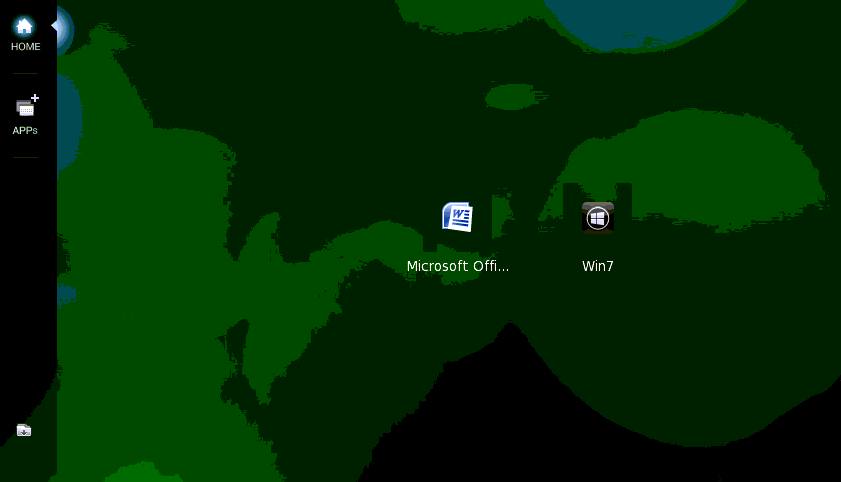
The line must be set back to the classic mode;
SysMode=classic to allow multiple remote apps to be opened at once from the terminals.
Thanks
Create another RDP-TCP Listener
August 14, 2018, 1:08 amHi everyone
Today I will talk a small tip. It's a tip if you need another set of configuration for a RDS|Terminal Server for users connections.
In my case I needed to had a rule for some users to not map their printers, but how can you be selective on a TS server ?
By creating another RDP-Tcp listener !
The GUI don't offer a create or new menu, thus we will have to play in the registry for that tip.
I export HKLM\CurrentControlSet\Control\Terminal Server\WinStations\RDP-Tcp

I change the setting, like that;
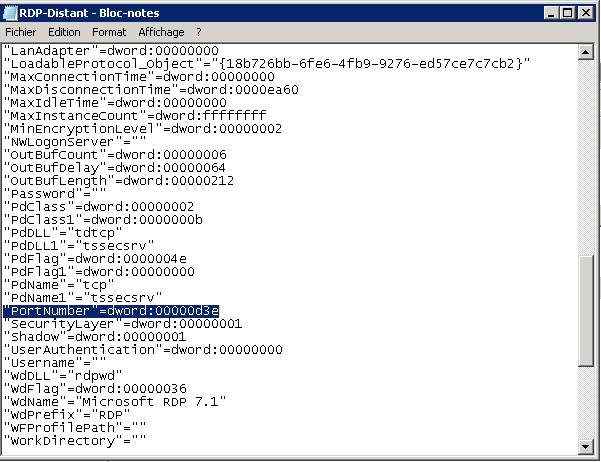
In my case I change the import path, HKLM\CurrentControlSet\Control\Terminal Server\WinStations\RDP-Tcp to HKLM\CurrentControlSet\Control\Terminal Server\WinStations\RDP-Distant
At that point we can restart the server, and voila we have two RDP listener ! So I can restrict the needed settings from the one I need :)
XenDesktop Setup - InstallComponent: Failed to install component StoreFront - 0x00000643
August 9, 2018, 8:17 pmHi everyone
On a Windows Server 2008 R2, if you update an Citrix DDC 7.x with an Citrix StoreFront 2.x enabled on it, you might fall into that error;
09:38:53.9613 : XenDesktopSetup:About to install StoreFront with parameters: -silent -WINDOWS_CLIENT "\\xxxxxxx\XenApp_and_XenDesktop_7_15_1000\Citrix Receiver and Plug-ins\Windows\Receiver\CitrixReceiver.exe" -INSTALLDIR "C:\Program Files\Citrix\Receiver StoreFront"
09:38:53.9613 : XenDesktopSetup:Starting synchronous process '\\xxxxxxx\XenApp_and_XenDesktop_7_15_1000\x64\StoreFront\CitrixStoreFront-x64.exe' with args '-silent -WINDOWS_CLIENT "\\xxxxxxx\XenApp_and_XenDesktop_7_15_1000\Citrix Receiver and Plug-ins\Windows\Receiver\CitrixReceiver.exe" -INSTALLDIR "C:\Program Files\Citrix\Receiver StoreFront"'
09:40:00.2815 : XenDesktopSetup:Process completed with error code 0x00000643
09:40:00.2825 $ERR$ : XenDesktopSetup:InstallComponent: Failed to install component 'StoreFront'. Échec d'installation du composant « CitrixStoreFront-x64.exe » avec l'erreur 0x00000643.
09:40:00.2825 $ERR$ : XenDesktopSetup:Recording installation failure. Échec d'installation du composant « CitrixStoreFront-x64.exe » avec l'erreur 0x00000643.
09:40:00.2825 PROC : XenDesktopSetup:InstallComponent: Exit
09:40:00.2825 : XenDesktopSetup:Install tasks for this session have finished.
09:40:00.2835 : XenDesktopSetup:Installation failed
09:40:00.2845 : XenDesktopSetup:InstallationManager returned FailureAndRebootNeeded
If such symptom happen you can safely remove your StoreFront by Add/Remove Program, and reinstall the update.
The StoreFront 3 seem to have problem to upgrade the 2.x StoreFront installation
Windows Server Incremental`s Backup with an RDX-1000 (HP) or RD-1000 (Dell)
August 8, 2018, 2:52 pmHi everyone
Ever worried on how to do an incremental backup to an RDX-1000 tape device ? as Windows Backup Service detect the device as like a hard drive, but not completely an USB stick either, so without the tip a lot of administrator finish by using a share into the device to make a full backup each day.
The small tip I found is;
- Create a VHD into the RDX-1000 tape.
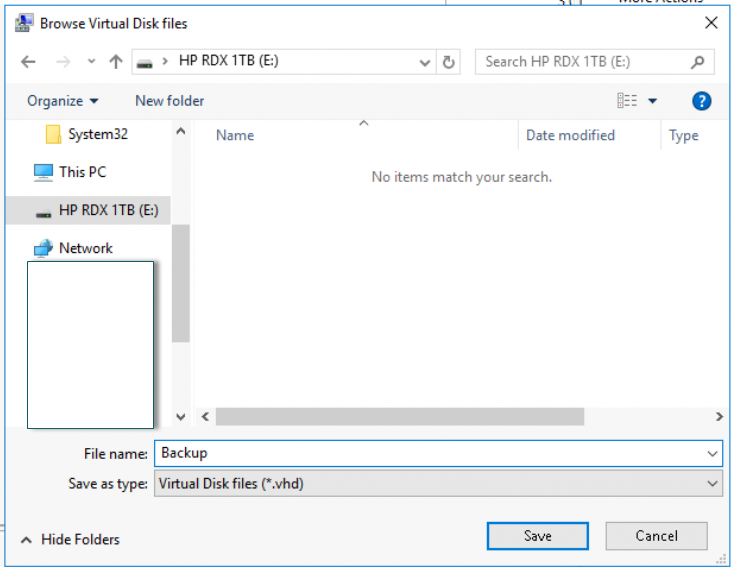

- Mount it as a drive.
- And now use that drive as a destination !
That way you can have incremental backup :)