Lorky`s Blog - Techno ressources and general informations for everyone !
Note
All blog links are archived here.
Removing DC role from an Exchange 2016 Server ?
August 1, 2018, 2:20 amHi everyone
In the time of Exchange 2007 if you had a server with the active directory role on it, installing Exchange on top of it removed the ability to remove the active directory's role later on.
In newer Exchange, like Exchange 2016, does this limitation is still there ?
Yes, the limitation is still there !
You can see the text there; Installing Exchange on a domain controller is not recommended
Demoting a domain controller to a member server isn't supported.
I wanted to talk about it, as I still see some question about that, like seen there on ServerFault's forum.
Thanks
Active Directory Domain Service Role`s Install Error 0x80010108
July 4, 2018, 4:13 pmHi everyone
If you hit an install error 0x80010108 when you try to add the Active Directory Domain Service's role to your server, then please make sure your account is correctly delegated the corrects right to add a new domain controller. It's a simple right issue.
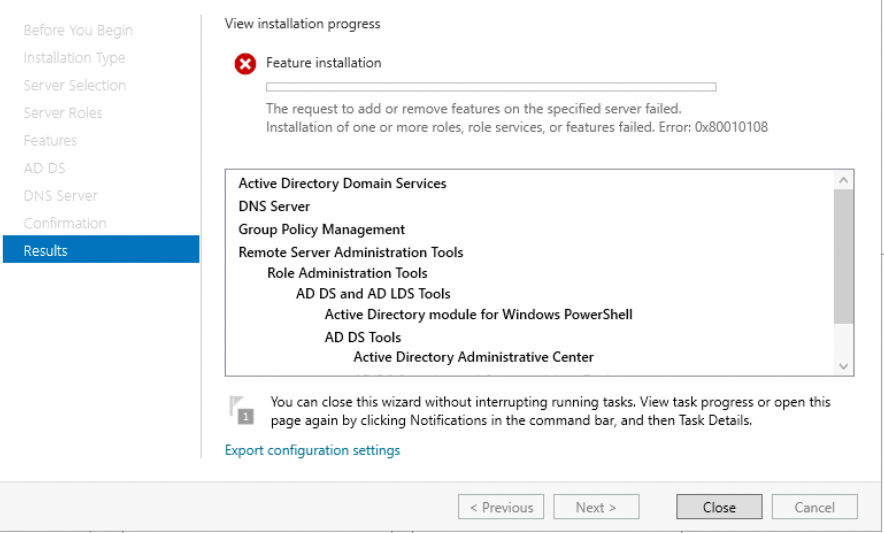
I kindly asked for a unfiltered account to do the task, and it worked like a charm :)
Thanks
Windows Server 2016 RDS setting for Licensing
July 3, 2018, 8:18 pmHi everyone
If you make a RDS install for a simple server. I found today a small tip to simply add the Remote Desktop Session Host's role and set the licensing mode correctly; (As the console don't seem to be there by default)
Open gpedits.msc, and go there:
Computer Configuration\ Administrative Templates\ Windows Components\ Remote Desktop Services\ Remote Desktop Session Host\ Licensing
And set those two options;
Use the specified Remote Desktop license servers Enabled, and enter the licensing server.\
Set the Remote Desktop licensing mode Enabled, and select user or device.\
After you can hit a refresh in your RD Licencing Diagnostic MMC, and the status should be good !
Thanks
Windows 10 April 2018 patch with Intel SSD BSOD
May 14, 2018, 3:15 pmHi everyone
Please be aware of a know problem with Surface Book and the latest update, it would cause a BSOD of your OS.
The only recommended action is to reinstall a older version (Build 1709)
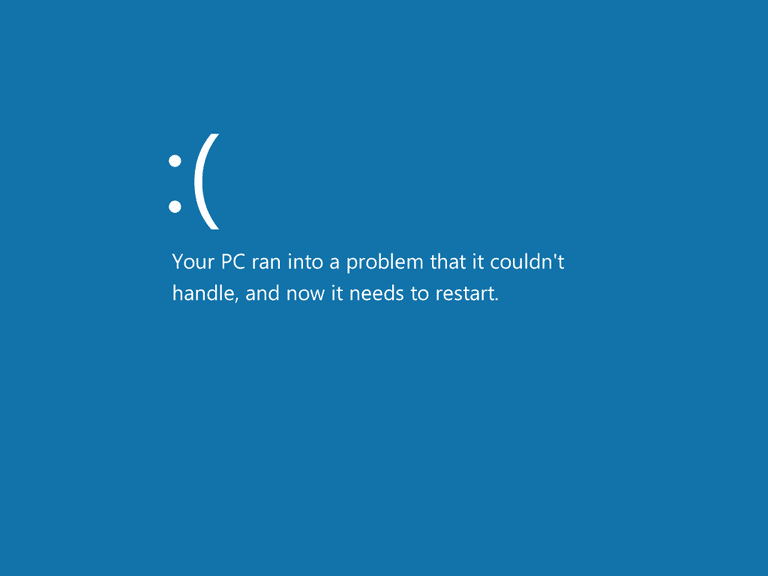
See an official's statement:
When attempting to upgrade to the Windows 10 April 2018 Update, select devices with Intel SSD 600p Series or Intel SSD Pro 6000p Series may crash and enter a UEFI screen after reboot.
Microsoft is working with OEM partners and Intel to identify and block devices with Intel SSD 600p Series or Intel SSD Pro 6000p Series from installing the April 2018 Update due to a know incompatibility that may cause performance and stability issues. If you have encountered this issue, follow the steps to reinstall the previous operating system (Windows 10, version 1709).
Microsoft is currently working on a resolution that will allow the April 2018 Update on these devices in the near future.
Windows 7/10 + Terminal + SmartCard Redirection with XenDesktop
March 24, 2018, 1:07 amHi everyone
In some instance you might have to use a smartcard inside a windows session, using the smartcard in Internet Explorer, not to login to the VM, it's a simple scenario, but in some occasion it can be a headache.
Imagine you have some terminal;
That will force you to do a redirection of the USB device;
That way with a Wyse;
Device=vusb ForceRedirect=0x08E6,0x0000,0x00,0x00,0x00 (You have to replace the ID with the Smart Card ID you have)
Now if you connect to a Windows's OS hosted with XenDesktop you will have another problem, the VDA's agent badly handle the said smartcard, thus you have to remove that CtxHook
You simply erase the folder Smart Card Hook
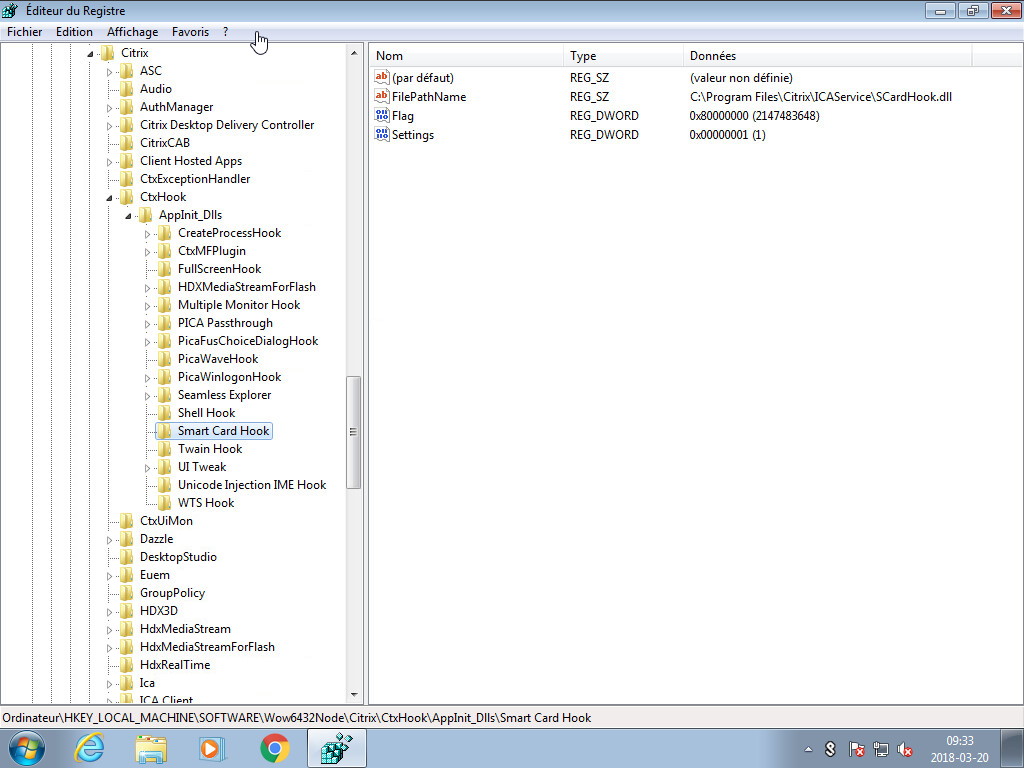
You reboot the Windows session, and voila, the next time you will have to use your smartcard in Internet Explorer the prompt will display and work as expected !