Lorky`s Blog - Techno ressources and general informations for everyone !
Note
All blog links are archived here.
Windows Server 2012 R2 KB3185279 & KB3185331 seem to break Google tip to block Youtube with DNS
October 21, 2016, 8:14 pmIn enterprise Google offered a tip to block youtube with the DNS;
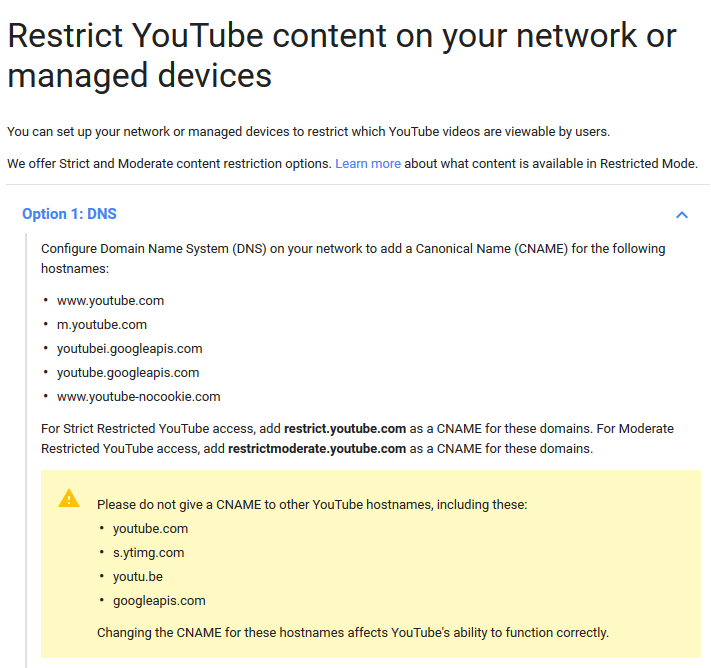
Some users posted that nslookup started not working after KB3185331
If we dig in the KB's text, we find that itselft that KB include nothing that can touch the DNS server, but digging farther show that;

The update 3185279 include that fix :
Addressed issue that causes Wildcard CNAME queries with Domain Name System Security Extensions (DNSSEC) enabled to not return Next Secure (NSEC) records.
Be sure to test out correctly if you need to make such tip after the update, as you may need to create a *.youtube.com's zone to bypass the problem (or remove the update)
Microsoft Offer some Virtual Machine for testing purpose
October 21, 2016, 7:37 pmI wanted to share that Microsoft share some VM for testing purpose, it's something I didnt seen much link too, and was surprised to see, thus why I share it there.
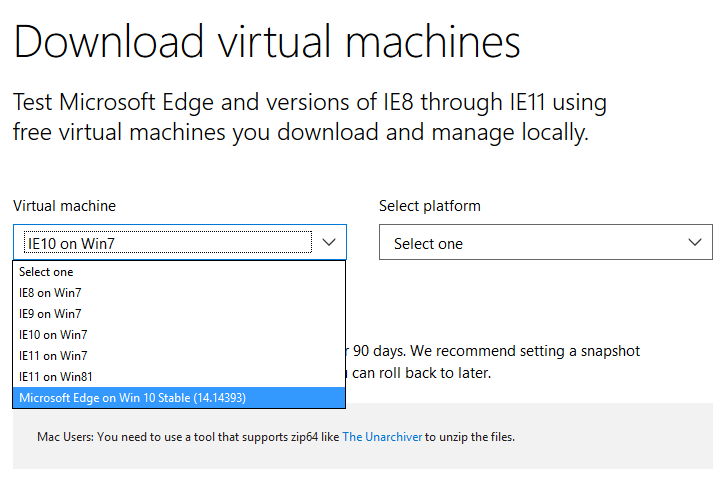
The site tag them for testing IE, but they are not stripped down, thus it's a good platform to test on.
In Windows Server 2012 R2, and error copying file name too long ?
October 21, 2016, 7:09 pmFile name too long to be copied ? still in 2016 with Windows Server 2012R2 ?
Yes, it can still happen !
Be sure Windows Update work good !, as it got patched in : Windows Server 2012 R2 Update (KB2919355)
The KB include that specific KB : 2891362 - A file copy operation fails when files or folders have long paths in Windows Explorer
Symptoms
Consider the following scenario:You have a computer that is running Windows 8.1, Windows Server 2012 R2, Windows 8, Windows Server 2012, Windows 7 Service Pack 1 (SP1), or Windows Server 2008 R2 Service Pack 1 (SP1).
You use Windows Explorer to try to copy files or folders in order to paste them into some other folder.
The files or folders that you copy have paths that exceed the maximum allowable path length.
In this scenario, the behavior of the copy operation is unreliable and fails because of the length of the file or folder path. Additionally, you may experience one of the following symptoms:The copy operation fails and generates a message that states that the path (file name) is too long. The message also suggests that you shorten the file name and try to copy again.
The copy operation does not start. In this case, no message is generated.
The copy operation starts, copies a few files or folders, and then fails without generating a message.
This problem may prevent some files or folders from being copied. You may not realize the the problem occurred if you do not receive an error message. Different symptoms may occur, depending on how the files are selected for copying.Note This problem can also occur when you try to copy files or folders from Volume Shadow Copy Service snapshots if the file or folder length in the snapshot exceeds the maximum path length.
Apply the KB to fix the problem for good ! and if you can't, shorten the path to make the copy.
Windows Server - Stress that spooler ! - The terminal Server session will love you after
October 21, 2016, 6:55 pmToday I will share a tip that is useful to stress test the windows spooler.
Any TS admin will know how much this can become frustrating to debug the print spooler, as often the spooler service will stop or will hang at 100% CPU usage.
The problem does not arise much when a customer use the Terminal Server Easy Print's driver, but a lot of older TS's does not use it, or they still need old driver for special's printer.
To stress test the driver I found a useful Citrix's tool.. wait, citrix ? yes as everyone know that xenapp is built over terminal server's service, thus their tool can be used without problem to test a TS.
The tool is StressPrinter (https://support.citrix.com/article/CTX109374)
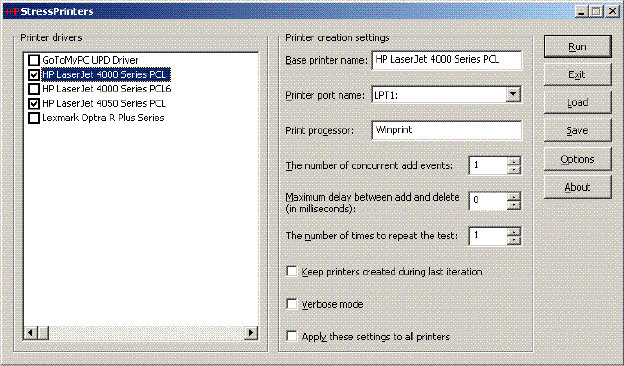
I will quote the tool info;
Many printer driver problems in Terminal Services/Remote Desktop Services environments revolve around poor multi-threaded performance, which in turn can cause print spooler instability. Problematic multi-threaded performance is usually exposed when multiple users connect to a Terminal Server simultaneously using the same printer driver. Symptoms include the failure to autocreate client printers, increased thread count of the printer spooler and/or Citrix Print Manager services, and possibly the unresponsiveness and/or unexpected termination of these services (stop responding).
This tool can be used to simulate multiple sessions auto-creating printers using the same printer driver.
It can also be used to compare the following among various drivers:
- CPU load incurred while creating a printer using a particular driver- Time required to successfully create a printer using a particular driverNote: The current version of the tool does not test concurrent printer capabilities, settings, or actual printing calls, which are also possible causes of failing to print. Therefore, good/passing stress results do not always mean that printers are actually working or certified.
Now with that tool we can stress a bit more the driver to find some culprit before it crash live. A tool in our toolbox :)
Windows/Linux/BSD - How to check if the memory is functioning in ECC mode
October 21, 2016, 6:17 pmIn case the BIOS does not show the memory's configuration, while in Windows you can issue that simple command to validate if the memory is working in ECC.
wmic MEMORYCHIP get DataWidth,TotalWidth
You will get an output like that;
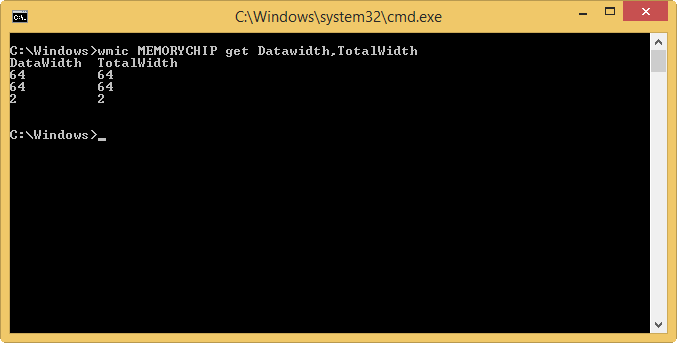
The number to watch is the TotalWidth:
64 = Not ECC
72 = ECC
An bonus, if you are running a BSD or Linux's OS a similar command exist: dmidecode -t 17 or dmidecode -t memory
It would give an output like :
dmidecode 2.12 SMBIOS 2.5 present.
dmidecode 2.12
SMBIOS 2.5 present.
Handle 0x1100, DMI type 17, 28 bytes
Memory Device
Array Handle: 0x1000
Error Information Handle: Not Provided
Total Width: 72 bits
Data Width: 64 bits
Size: 2048 MB
Form Factor: DIMM
Set: 1
Locator: DIMM1
Bank Locator: Not Specified
Type: DDR2
Type Detail: Synchronous
Speed: 667 MHz
Manufacturer: AD00000000000000
Serial Number: 00002062
Asset Tag: 010839
Part Number: HYMP125P72CP8-Y5
Rank: 2
You need to watch the TotalWidth again, there it's 72 for ECC.