Lorky`s Blog - Techno ressources and general informations for everyone !
Note
All blog links are archived here.
Upgrading HP Thin Client T420
October 7, 2022, 3:59 pm
Hi
Today I wanted to share a tip if someday you want to upgrade the hard disk that Thin Client terminal. As by default it come with a 32 or 64 g HDD.
The terminal come with Windows 10 LTSB 2016 by default, which can be upgraded to LTSC 2019 with added licensing from HP, but it can be hard to do the update with the smaller SSD that the unit has, so the upgrade can be necessary in the end. (I didn't tried Windows 11 in it)
The interior look that way;
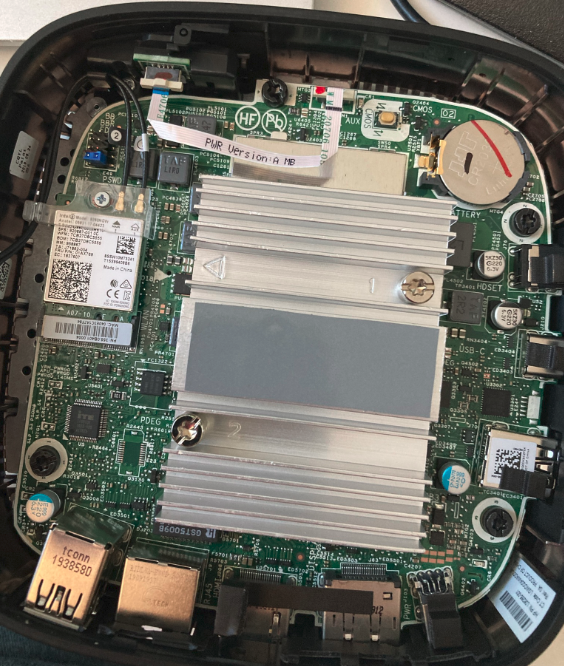
As you can see we have not much room for improvement, but in that specific case I would be using the WiFi pciex connector to connect the new SSD.
I remove the card;
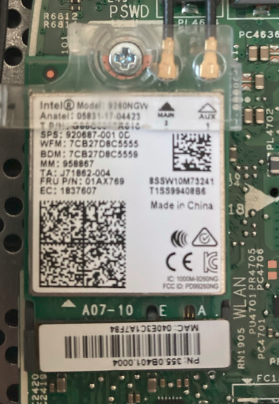
The goal will be to put an adapter;


In the end it look that way;
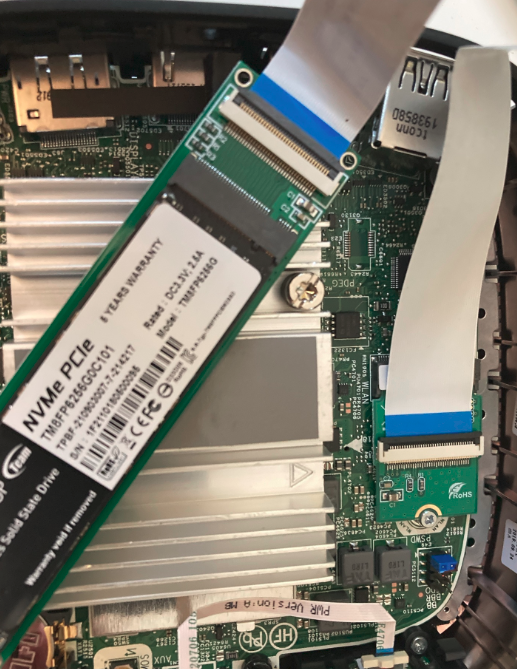
I recommend to use a small SSD, to be able to close back the case.
After that we can boot, and install the OS inside the SSD :)
Windows Azure AD Join missing option
September 2, 2022, 8:52 pm
Hi everyone !
Today I wanted to talk a small issue that can happen if you try to join a machine to Azure AD. The issue is the Join Azure AD's option is just not displayed in the Account's windows but would work in OOBE.
That would show that way;
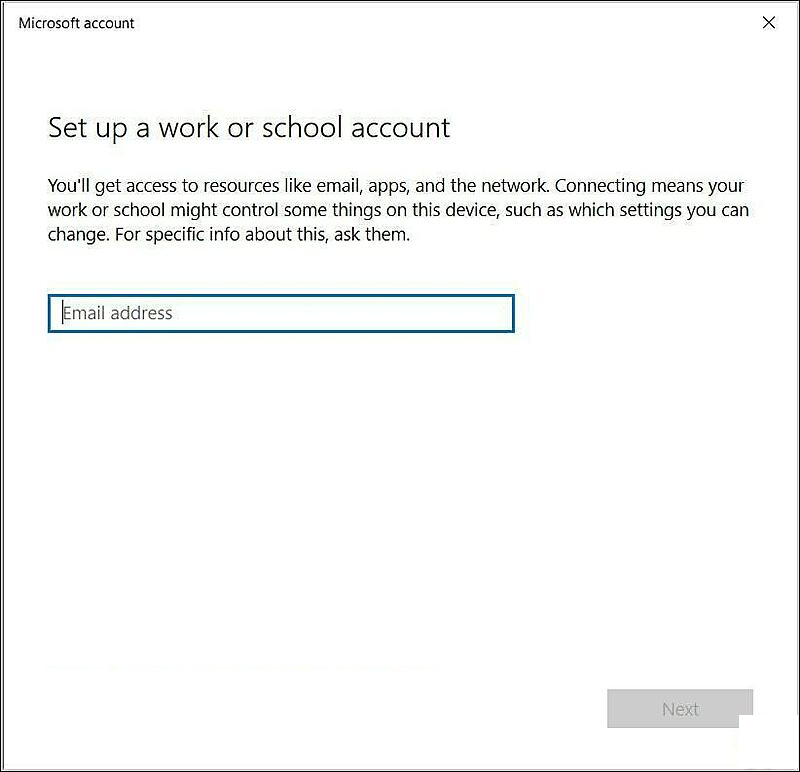
The error can come if the computer got no internet access, as it can't log into Azure at all. The error can come too if you have a Microsoft Account too into the computer, like there;
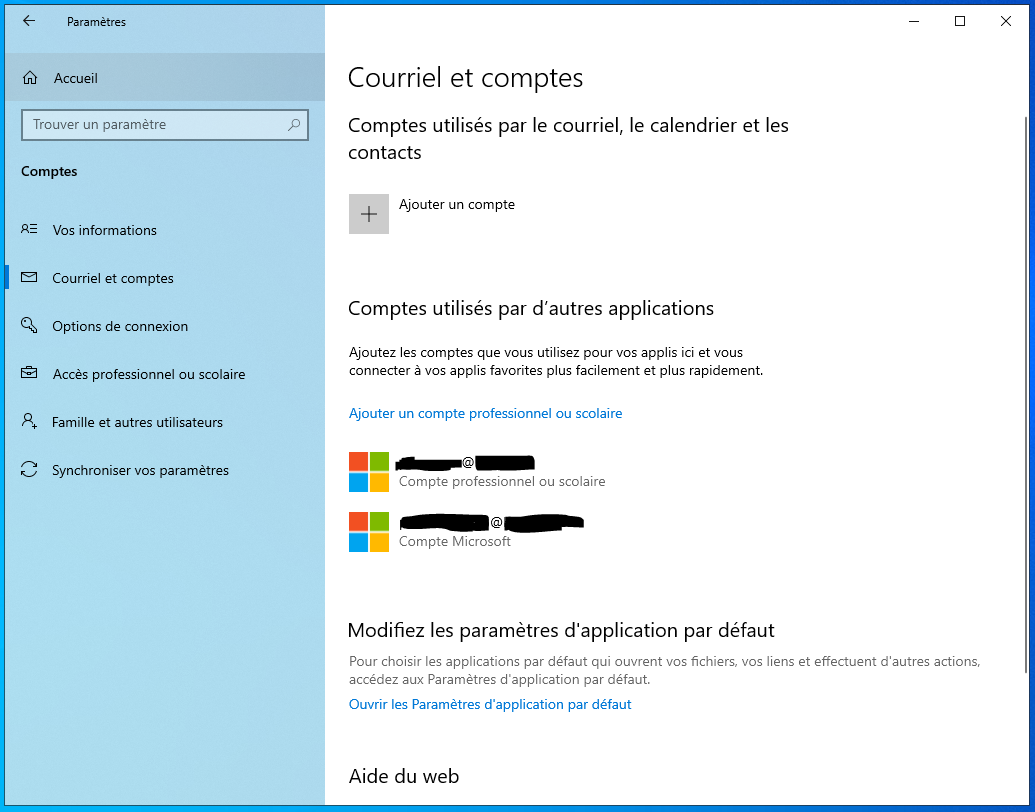
For that computer I was able to log to an Microsoft Account AND an Azure AD account, but the computer was forced to stay inside a unmanaged state as the option to join the Azure AD was just not there.
To allow the computer to join the Azure AD you need in that case to remove the Microsoft's account. That will allow you to join the Azure AD, like shown there after the removal of the Microsoft's account;
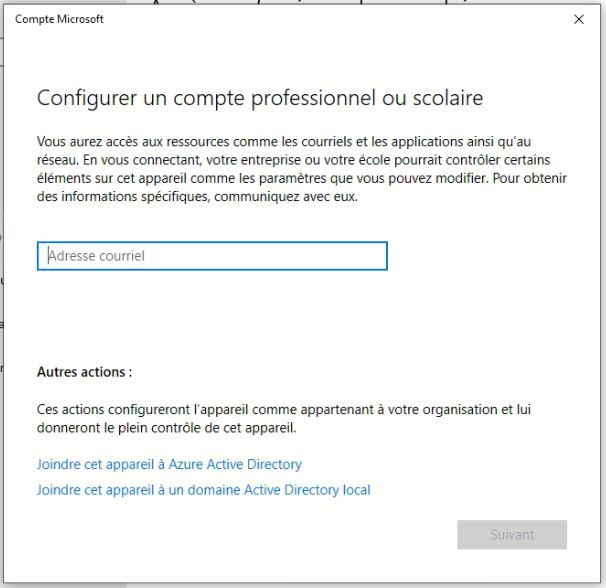
After you can join completely;
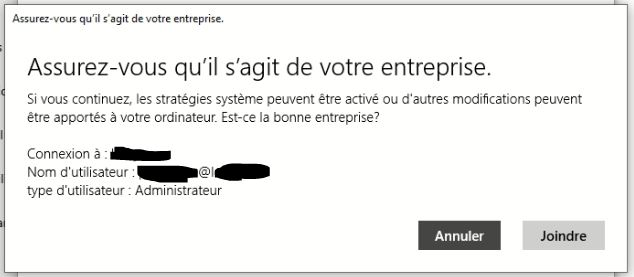
GPO WMI Filter Trick - No clause and multiple query(s)
September 1, 2022, 9:33 pm
Hi everyone !
Today I wanted to share a tip for creating more complex group policy.
WMI filter come handy to target the needed computer in group policy. Adding a NOT LIKE clause like in SQL can be there important.
Creating multiple query help to make a full target.
Keep in note that in multiple query EACH query must be TRUE. So if you do two query, both need to be evaluated as TRUE for the filter to apply.
I will start with the NO clause. If inside your WMI filter you need to use a NO clause please remember that it must be wrote select * ... WHERE NOT ....
An example that do a compare on the version;
select * from Win32_OperatingSystem WHERE NOT Version like "10.0.14393%"
Now time to talk on how to make multiple WMI check filter.
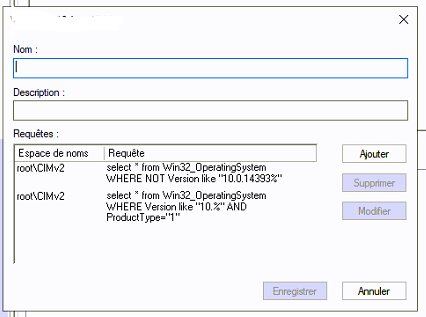
I would show an example of how it can be useful; if in example your GPO must target all Windows 10, except a LTSB version. That would look that way;
select * from Win32_OperatingSystem WHERE NOT Version like "10.0.14393%"
select * from Win32_OperatingSystem WHERE Version like "10.%" AND ProductType="1"
Limit WSUS memory usage with HeidiSQL
July 27, 2022, 2:30 pm
Hi everyone
Today I wanted to share a tip if your WSUS database (SQL) is eating too much resource on your server.
Like shown there;

or there too;

There is multiple way to do it, but I wanted to share a simple way to do it without any native SQL tool installed. For that reason I used HeidiSQL portable edition.
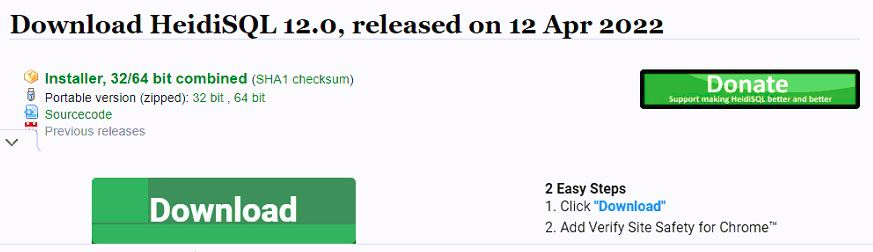
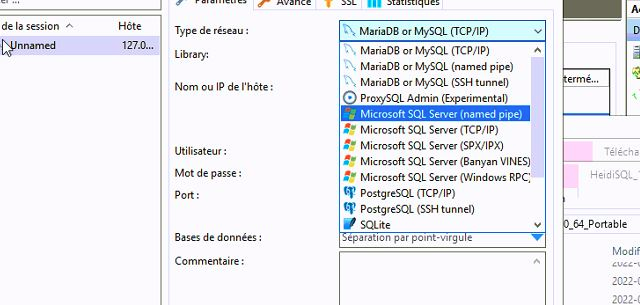
After it's open, you need to select a named pipe;
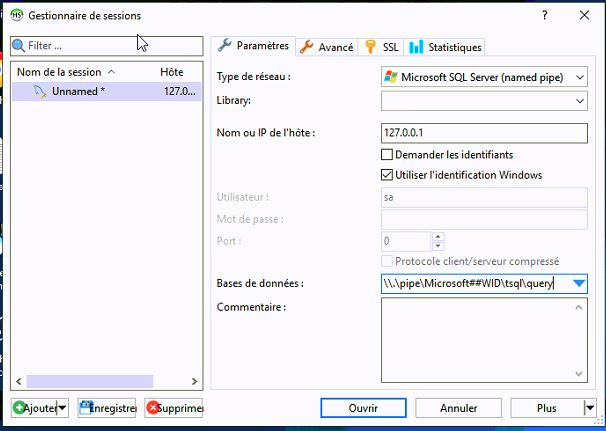
Click to use windows authentication, and in the database path please put;
\\.\pipe\Microsoft##WID\tsql\query (Windows Server 2012 +)
or
\\.\pipe\mssql\$microsoft##ssee\sql\query (pre 2012)
It would look that way;
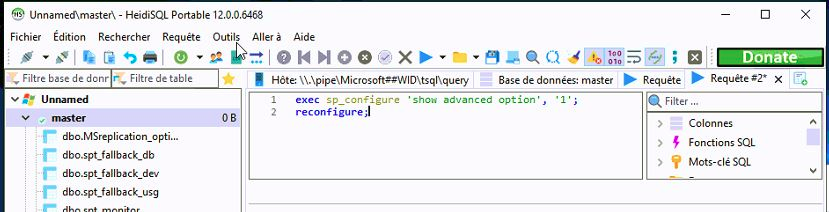
After that you it the Request tab, and you enter;
You can check the configuration;
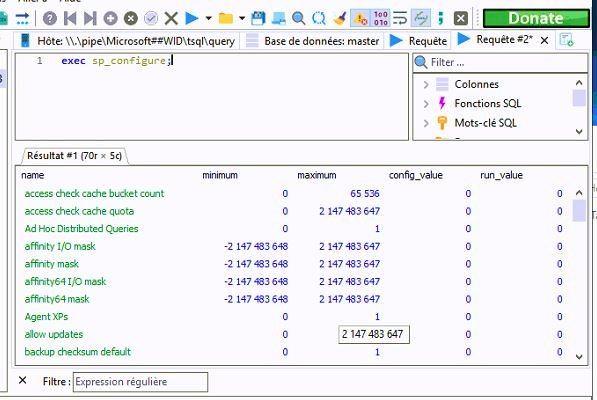
After you issue the last command to set the memory you want it to use;
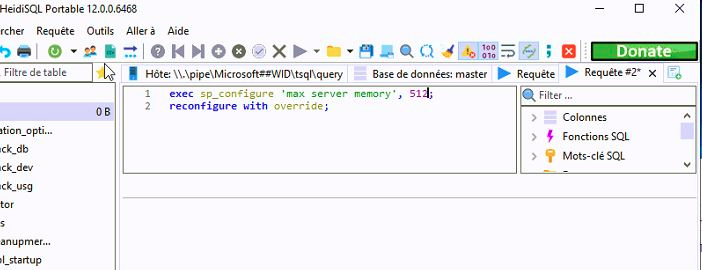
In my example I used 512, but I recommend 1024+ in the minimum.
To resume, it would be those command we used;
exec sp_configure 'show advanced option', '1';
reconfigure;
exec sp_configure;
exec sp_configure 'max server memory', 2048;
reconfigure with override;
Windows Store Error - Firewall
July 11, 2022, 4:01 pm
Hi everyone
Today I wanted to share a tip for any sysadmin can encounter. It's for the Windows Store app and the GPO.
I stumbled into a environment that blocked the Windows Store to work, after multiple test I found that you really need the Windows Firewall at On to be able to restore the Windows Store.
The culprit in my case was a GPO that set at Disabled that settings;
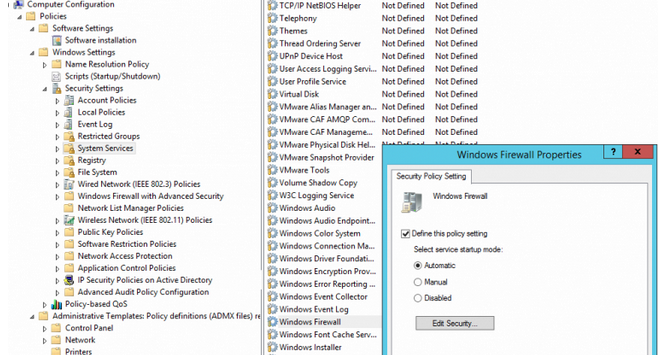
It took me time to figure it as the machine was using a third party firewall's solution, so the computer was not alerting me at all that the firewall was missing, and the store app just refused to open without any error.