Lorky`s Blog - Techno ressources and general informations for everyone !
Note
All blog links are archived here.
Windows 7/10, vSphere 5.5+, Citrix Desktop Studio Power State Unknown
March 23, 2018, 11:00 pmHi everyone
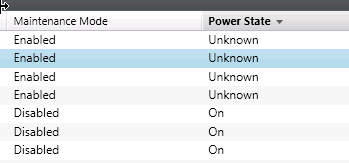
In your vSphere do you happen to have Windows 7 or 10 streamed VM that got in a reported as in an Unknown Power State ? if yes please follow my tip.
From that screen you remove that VM from your DDC inventory.
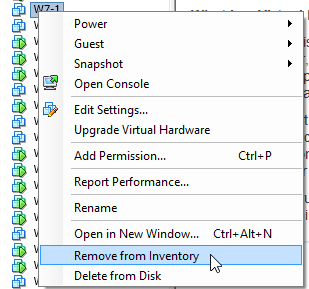
On the vSphere you remove it too from the inventory, don't delete from disk
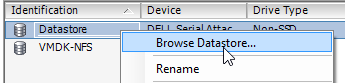
You click to browse your datastore
On your VM .vmx you right click to
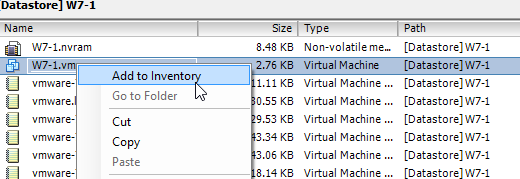
You follow that wizard
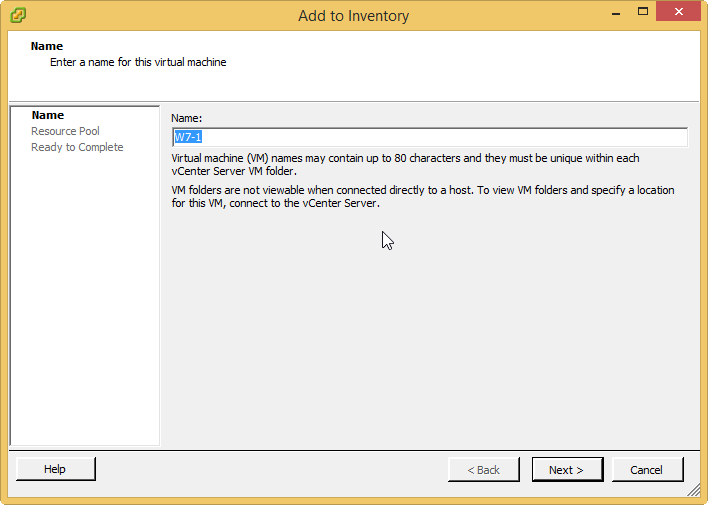
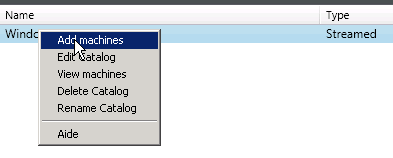
Now you return in the DDC, you need to re-add that machine
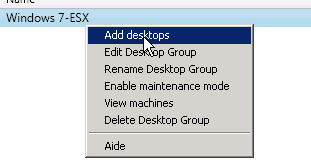
In your desktop group your re-add it too;
Now both system will be syncro !
Logon Failure: The target account name is incorrect
March 23, 2018, 9:15 pmHi everyone
Today I stumbled into a bug;
From a DC to another DC when I try to naviguate to the server fileshare I got that error;
Logon Failure: The target account name is incorrect
I checked the DNS's console, and from the faulty DC the console don't open too.
After checking all around, the DFS is dead, the server is no more responding to anything and oh well, it's tombstone.

At that point first thing I did is;
net stop kdc
After that a netdom;
netdom reset passwd /Server:DC2 /UserD:domain\administrator /PasswordD:*
netdom reset passwd /Server:DC2 /UserD:domain\administrator /PasswordD:*
Type the password associated with the domain user:
The machine account password for the local machine has been successfully reset.
The command completed successfully.
I did a restart, now the DNS's console open, but I still got a account error, thus I run the netdom against the other DC as well, another restart and voila! It work as expected !
A good article related to mine is there; Domain controller is not functioning correctly
DNS Server Service - Error 1717: The interface is unknown
March 13, 2018, 9:30 pmHi everyone
Yesterday I stomped into a new bug, I wanted to share it with you guys.
After some Windows Update on a Server 2008 R2, I got that wonderful message from the service manager for the DNS server service:
Windows could not start the DNS Server service on Local Computer.
Error 1717: The interface is unknown.
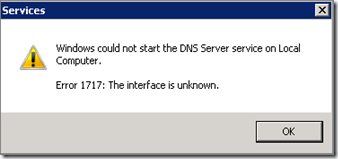
After some research I found this blog post and some Microsoft KB that talk about the EventLog that can have bad permission, thus I resetted those permission:
Per the MS KB, it's those I need to set: (KB there: Error message when attempting to start the Windows Event Log Service: "Access denied")
Restore the default permissions on %SystemRoot%\System32\winevt\logs.
Authenticated user - List folder/read data, Read attributes, Read Extended attributes, Read permissions
Administrators - Full control
SYSTEM - Full control
EventLog - Full control
After that, the service still give me an Access Denied 5 error, now I simply moved all EventLog file from that folder to a backup folder, and I tried to restart the eventlog service, and now it was working ok !
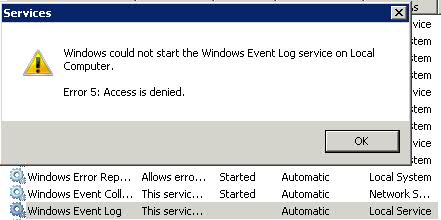
After that change the DNS Server Service was able to start with the eventlog ! :)
Image took from there and there
Migrating files from an Active Directory Domain to another, unblocking the files ?
March 12, 2018, 9:30 pmHi everyone
Today I will discuss a small tip used when you migrate a file server to another domain.
The goal is to prevent all user to see the warning that file can be dangerous, as the client OS detect and treat that old domain as a internet domain, not an internal's domain when the migration is finished.
An easy way is with Unblock-File commandlet from powershell.
Naviguate into your server, and issue that powershell command:
Get-ChildItem c:\path -recurse | Unblock-File

That will prevent that dialog from all the files:
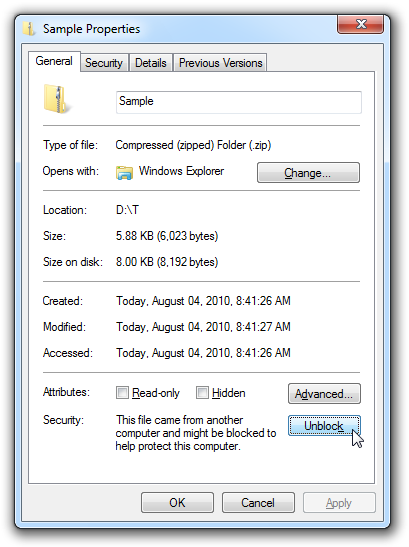
Enjoy the small tip
Active Directory: Reset the clock on an expired password for an account
March 7, 2018, 7:38 pmHi everyone
Ever wondered how to re-activate an old Active Directory account and prevent a password change directly ? Like on a return paternity / maternity leave.
It's really easy to do or script that way :)
pwdLastSet attribute is used to calculate the password age.
The value is protected, and the only value you can set there is 0 or -1.
The value you look for is -1, the system will put the pwdLastSet to the current date/time. Thus the 90 days, or any defined time period, will start again from the start.
0 would do the opposite, it would expire the password right now.
You set it to 0, manually or with a script, you then set it to -1 and uncheck the Never Expire option after for the account.
An example when used:
Before
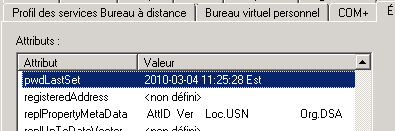
After

It's that simple :)
Thanks